
Yes — you can use Whop with WooCommerce. Woo-Whop is an independent WooCommerce payment gateway that creates a Whop checkout from the live WooCommerce order and validates a signed payment event before the matching WooCommerce order is marked paid.
That answer is useful only if you understand the boundary: WooCommerce remains your catalogue, cart, checkout context, and order hub. Whop handles the payment flow. The plugin joins those systems; it does not automatically migrate your Whop catalogue, control merchant approval, or manage a recurring membership or third-party fulfilment lifecycle.
What the connection does
At checkout, Woo-Whop builds a one-time Whop plan and payment configuration from the live WooCommerce order. That means you do not create a manual Whop plan ID for every product, variation, coupon, or shipping combination.
When payment is confirmed, the signed webhook verifies the event and matches it to the expected company, plan, amount, and currency. WooCommerce then follows its normal paid-order workflow. This keeps the order record in the same system that owns your products and fulfilment rules.
What you need before setup
- A Whop seller account and the credentials for the environment you are using.
- WordPress 6.0 or newer, WooCommerce 7.0 or newer, and PHP 7.4 or newer.
- HTTPS on the checkout domain for live payments.
- A Whop API key, Company ID, webhook endpoint, and webhook signing secret.
- A sandbox or staging plan so the first payment path is tested before real customers use it.
Do you need to recreate WooCommerce products in Whop?
No manual mapping is required. Woo-Whop creates a one-time plan from the live order amount as the buyer checks out. This is different from a product synchronisation feature: the plugin is not intended to import, mirror, or manage a permanent Whop catalogue for every WooCommerce product.
The distinction helps with store operations. Change product names, prices, coupons, or shipping in WooCommerce, then test a cart. The checkout amount is created from that live cart path. See how cart-derived plans avoid manual plan mapping.
Can customers pay without leaving the WooCommerce checkout?
In Embed on Checkout mode, the payment fields render inside the WooCommerce payment area and the normal WooCommerce Place Order action starts the payment flow. This is the preferred mode for a conventional checkout, but it must be tested in your active theme and selected checkout type.
There are two alternatives:
- Embedded Checkout Popup opens the payment form in a modal on the page.
- Direct Redirect sends the current tab to a Whop-hosted checkout page.
All three use cart-derived checkout creation and signed webhook matching. They differ in presentation and compatibility, so do not describe every mode as “no redirect.” Review the three checkout modes before choosing one.
What can the payment form offer?
The plugin’s gateway is titled for card and crypto payments through Whop. Payment methods available to a customer depend on the Whop account and payment-method availability, so the safe expectation is card and crypto through the Whop checkout — not a promise of a specific wallet, named crypto asset, bank transfer, country availability, or merchant approval outcome.
Does it work with the Checkout Block and HPOS?
Yes. Woo-Whop supports Classic checkout, the WooCommerce Checkout Block, and HPOS. The implementation differs between checkout architectures, so test your selected checkout mode in the actual theme and block setup you plan to run. The Checkout Block guide gives a testing sequence.
How do currencies and languages work?
The plugin passes 47 listed store currencies to Whop natively. For a store currency outside that list, it converts the order amount to USD using a live rate with safeguards. Do not market this as “every customer’s preferred currency” or assume every currency is native; test your store’s currency configuration in sandbox.
The payment form has 28 explicit language options. You can select one, or choose automatic mode to map the WordPress site locale when supported. Automatic mode does not mean browser, geographic, or per-visitor language detection. For multilingual stores, test each checkout locale on staging.
What happens after payment?
Woo-Whop validates the signed payment confirmation and calls WooCommerce payment completion for the matching order. Your normal WooCommerce status, email, stock, download, or fulfilment configuration then decides what happens next.
If you sell community access, licences, subscriptions, or an external service, connect that fulfilment separately. This payment gateway does not by itself assign Discord roles, issue licences, grant access, revoke a subscription, or manage recurring billing.
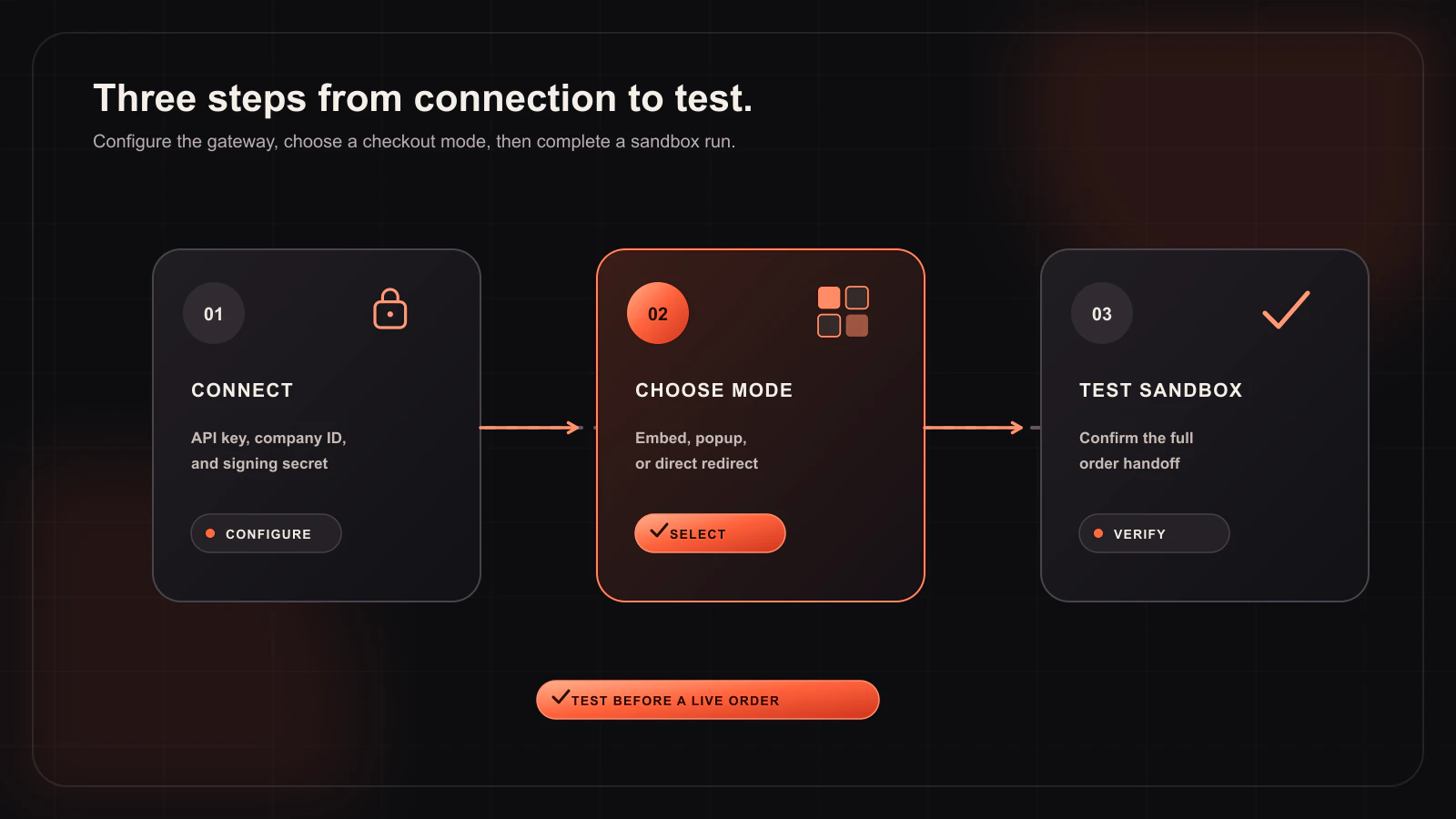
Setup in a safe order
- Install and activate Woo-Whop.
- Enter the sandbox API key and Company ID in WooCommerce payment settings.
- Copy the exact
?wc-api=whop_webhookcallback into Whop, subscribe topayment.succeeded, and save the signing secret in WooCommerce. - Select Embed on Checkout, Popup, or Direct Redirect.
- Run a sandbox order that includes the currency, shipping, coupon, and product types you actually sell.
- Confirm the matching WooCommerce order becomes paid from the signed event, then mirror the configuration with live credentials.
The detailed checklist is in the Whop WooCommerce setup documentation.
The short version
Use Whop with WooCommerce when you want WooCommerce to remain the storefront and order system while the payment journey runs through Whop. The integration gives you three checkout presentations, cart-derived one-time checkout creation, and a signed payment-confirmation path. It is a payment gateway, not an all-in-one product catalogue or fulfilment platform.
Connect your live WooCommerce cart to Whop checkout
Start with the documented sandbox path, then choose the payment experience that fits your theme.
Read the setup guide →