
A WooCommerce checkout without a redirect is often described as a design preference. In practice, it is a payment-flow decision. A customer can remain on your checkout page, open a payment experience in a popup, or be sent to a separate hosted payment page. Each route can be valid; the important part is choosing the one that matches your store, then testing it from cart to paid order.
Woo-Whop is a Whop payment gateway for WooCommerce that gives a store three checkout modes: Embed on checkout, Embedded checkout popup, and Direct Redirect. It creates a one-time Whop plan from the live WooCommerce cart, so there is no separate plan ID to create and map by hand for each product. This guide explains the trade-offs without treating one mode as universally best.
What “no redirect” means in WooCommerce
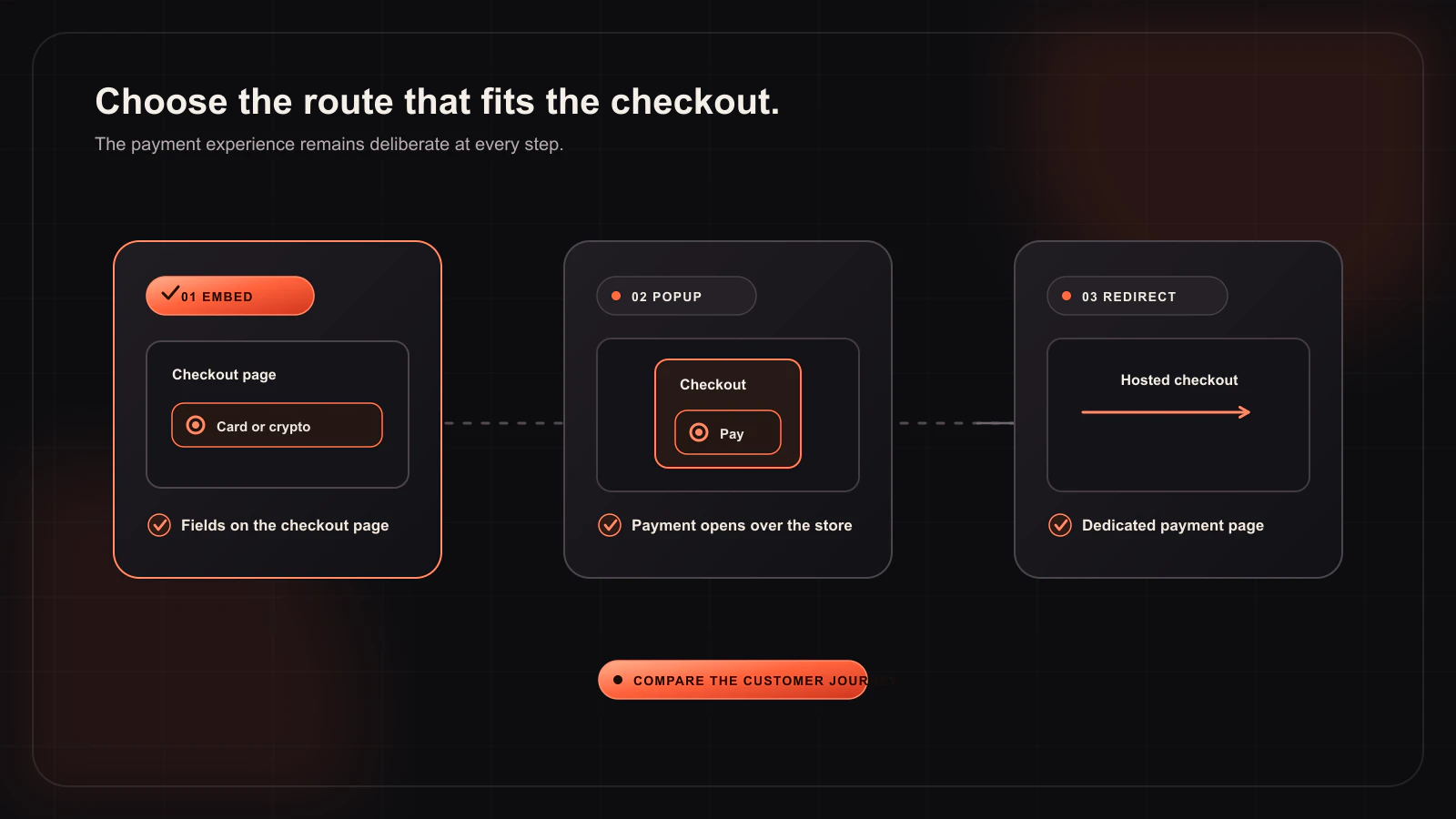
People use “embedded checkout” to describe more than one experience. Separate the choices before you compare gateways:
| Checkout mode | What the customer sees | When it is useful |
|---|---|---|
| Embed on checkout | The Whop payment experience is placed inside the WooCommerce checkout flow. | When keeping the payment step visibly connected to your checkout is the priority. |
| Embedded checkout popup | A payment experience opens in an overlay while the WooCommerce page remains behind it. | When you want to preserve the page context but keep the payment area separate. |
| Direct Redirect | The buyer continues to the hosted Whop payment page. | When a hosted payment handoff better fits the store’s support or checkout design. |
Only the first two are “no navigation away from the page” experiences. A popup is still different from inline embedding: it keeps the page in place, but it asks the customer to complete payment in a focused overlay. Direct Redirect is not a failure mode. It can be the clearest choice for a store that wants a deliberately separate payment step.
How Woo-Whop keeps the cart and payment request connected
The technical risk in a checkout integration is not only how the form looks. It is whether the payment request accurately reflects the order a customer is about to place. Woo-Whop starts with the live WooCommerce cart and creates a one-time Whop plan for that checkout. That means the payment request is generated from the order context instead of relying on manually maintained product-to-plan mappings.
After a successful payment event, the store should validate the signed payment.succeeded webhook before it treats the order as paid. The verification checks the expected plan, company, amount, and currency. This matters regardless of the mode you select: an attractive embedded form does not replace server-side verification.
Choose the mode from the customer journey, not a label
Embed on checkout
Choose the inline option when your WooCommerce checkout already explains the order well and you want the payment step to stay on that same page. Keep the surrounding page calm: show the order total, any important delivery information, and a clear payment label. Avoid adding duplicate pay buttons or competing calls to action around the embedded area.
Embedded checkout popup
A popup works well when you want the checkout page to retain its normal layout until payment begins. It can also reduce visual density on stores with a long checkout. Test keyboard focus, the close action, and what happens after an unsuccessful attempt. A customer should never be left guessing whether their WooCommerce order still exists after closing the popup.
Direct Redirect
Use a hosted handoff when that is easier for your support process or better aligned with the way buyers expect to pay. Make the transition explicit in the call to action and preserve a clear return path. The key requirement is consistency: the WooCommerce cart total, the payment request, and the verified webhook result must agree.
Implementation checklist
- Install and configure the gateway in WooCommerce payment settings.
- Choose one checkout mode first; do not try to optimise three flows at once.
- Enable sandbox mode and run a complete test order from cart through confirmation.
- Register the generated webhook URL and confirm that signed
payment.succeededevents validate against the plan, company, amount, and currency. - Use HTTPS before enabling live payments.
- Test the checkout on desktop and mobile, including a return from the popup or hosted flow.
Card and crypto payment options depend on Whop availability for the relevant checkout. Treat the checkout you see in sandbox as a test of the integration, then confirm your live account’s available payment methods before publishing customer-facing promises.
Related WooCommerce checkout resources
- Read the embedded vs popup vs redirect checkout guide for a deeper mode comparison.
- Follow the checkout mode setup steps in the documentation.
- Use the signed webhook verification guide before automating any paid-order action.
A WooCommerce checkout without a redirect can be a good experience when it is backed by a correct cart-to-payment workflow. Start with the mode that is easiest for your store to explain, verify the payment server-side, and only then refine the presentation.