
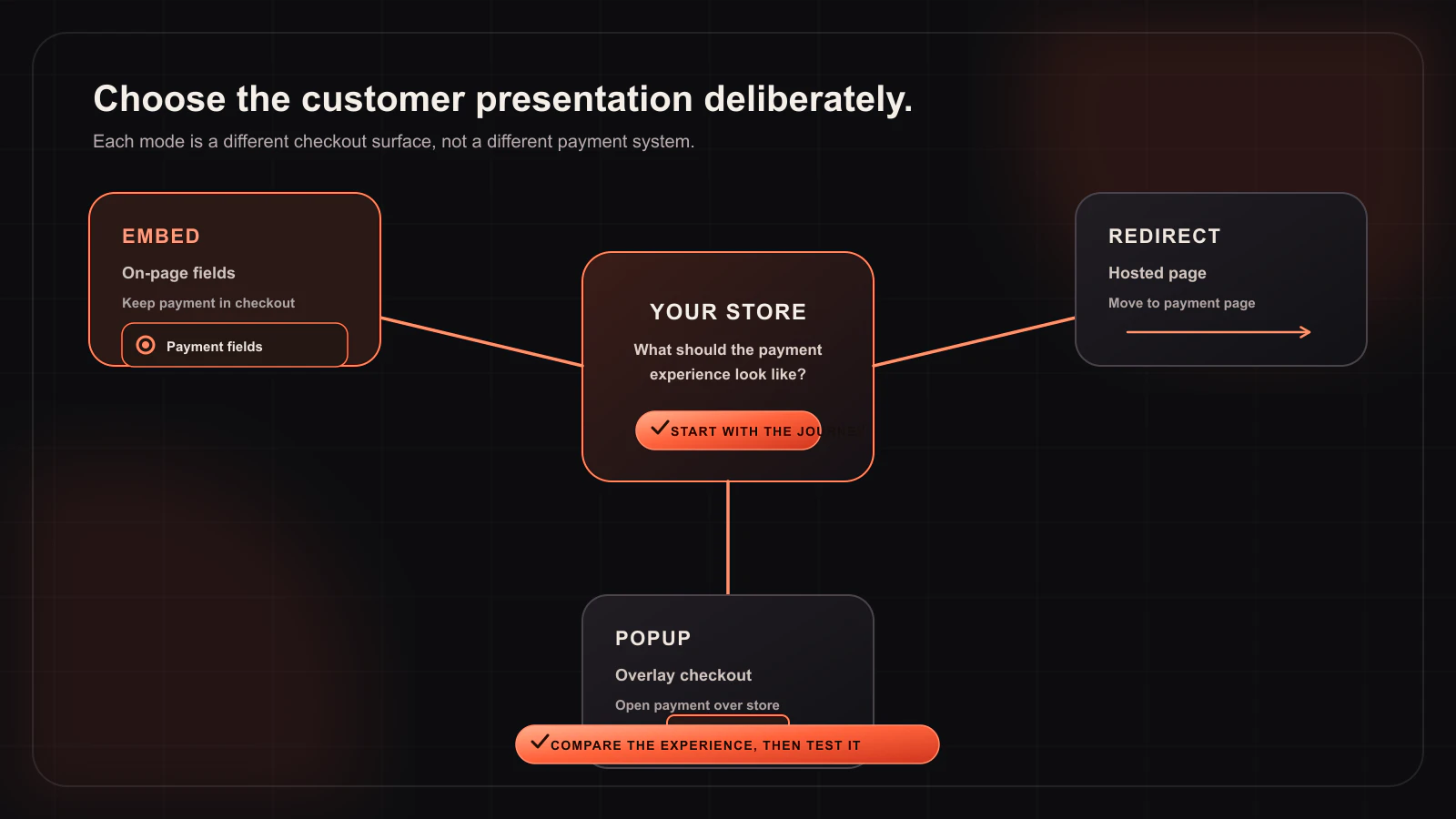
Woo-Whop gives a WooCommerce store three ways to present a Whop payment flow. They are deliberately different, because a payment form that works beautifully in one checkout can be the wrong fit for another:
- Embed on Checkout places payment fields in the WooCommerce payment area.
- Embedded Checkout Popup opens the payment form in an on-page modal.
- Direct Redirect sends the buyer to a Whop-hosted checkout page in the current tab.
All modes create the checkout from the live WooCommerce order and use the same signed payment confirmation rules. Your choice is about presentation, checkout compatibility, and what you have actually tested — not a claim that every mode looks or behaves identically.
Mode 1: Embed on Checkout
Embed on Checkout is the default presentation. Whop card-and-crypto payment fields render inside the WooCommerce payment method area. The customer stays on the checkout page while WooCommerce’s normal Place Order action begins the payment path.
When it is the best fit
- Your checkout uses a conventional WooCommerce layout.
- You want payment fields close to the billing and order summary context.
- You prefer one continuous checkout surface instead of a modal or a hosted handoff.
What to test
Test billing validation, payment-method switching, coupons, shipping, mobile layout, and the order status after a sandbox payment. Classic checkout and Checkout Block are supported, but they are different implementations. A page-builder checkout or another payment customization can still affect placement, so theme-specific testing is essential.
Mode 2: Embedded Checkout Popup
Popup mode launches the payment form in a modal above the WooCommerce page. The checkout remains behind the modal, so the buyer does not navigate to a separate page during the normal flow.
When it is the best fit
- Your checkout has many upsells, custom components, or a dense order-summary layout.
- You want payment to take visual focus after the customer has confirmed the order.
- Embed on Checkout conflicts with your payment-area markup but the site can still support an on-page modal well.
What to test
Test keyboard focus, close behaviour, scroll locking, the mobile viewport, and what happens when a customer changes a payment method or billing field before reopening the modal. If you configure a custom payment button, remember that button styling is a Popup-mode feature; it does not change the hosted Direct Redirect page.
Mode 3: Direct Redirect
Direct Redirect sends the current tab to a Whop-hosted checkout page. It is useful when an embedded payment surface is not a good compatibility fit for the store’s checkout customization.
When it is the best fit
- A page builder replaces or heavily restructures the WooCommerce payment area.
- You are isolating a conflict with another checkout or payment customization.
- You want the payment form hosted outside the store’s own checkout layout.
What to test
Test the return journey, the order confirmation, and the signed webhook completion. Be clear with stakeholders that this mode is a hosted handoff: customers leave the WooCommerce page for payment. Do not apply embedded-form appearance controls to it or market it as an on-site payment experience.
A practical decision table
| Your checkout situation | Start with | Why |
|---|---|---|
| Standard WooCommerce checkout | Embed on Checkout | Keeps payment fields in the familiar payment area. |
| Dense checkout with many components | Embedded Checkout Popup | Separates the payment task without leaving the page. |
| Page-builder or highly altered payment area | Direct Redirect | Removes the embedded form from the theme’s payment markup. |
| Investigating a checkout conflict | Direct Redirect, then Popup | Helps identify whether the embedded surface is involved. |
| Checkout Block store | Embed on Checkout, then test | The Blocks adapter is supported, but real theme testing still matters. |
What does not change between the modes
Regardless of presentation, the plugin creates a one-time plan and checkout configuration from the live WooCommerce order, then processes the signed payment.succeeded event against the expected plan, company, amount, and currency. The storefront, order record, stock rules, and fulfilment logic remain WooCommerce responsibilities.
What does change between the modes
- Customer location: Embed and Popup are on-page experiences; Direct Redirect is hosted by Whop.
- Appearance controls: embedded modes have form presentation controls; Direct Redirect uses the hosted checkout experience.
- Theme exposure: Embed is closest to the WooCommerce layout; Popup reduces direct interaction with the payment area; Redirect removes the form from it.
- Testing priorities: each mode needs its own desktop, mobile, billing-validation, and sandbox-order test.
A rollout process that avoids guesswork
- Duplicate or stage the checkout before changing payment mode.
- Start with Embed on Checkout if the theme uses standard WooCommerce templates.
- Run a sandbox order with the same product, coupon, currency, and shipping path a real buyer will use.
- Test on a real phone as well as desktop, including an error state and a switch to another payment method.
- If Embed conflicts with the checkout, try Popup. If the theme remains the source of the conflict, use Direct Redirect while you investigate.
- Do not change checkout architecture, currency-switcher behaviour, and payment mode in one release.
For the actual settings and test sequence, see the checkout-mode documentation.
Choose the path your store can prove
The best payment mode is the one that is clear for customers and verified in your actual checkout. Embed on Checkout is the natural starting point for most stores; Popup and Direct Redirect are useful tools when the store’s layout or compatibility requirements say otherwise.
Test all three payment modes before launch
Use the Woo-Whop sandbox path to compare embedded fields, popup, and hosted redirect in your real checkout.
Compare modes in the docs →