
Automating a WooCommerce checkout does not mean removing the checks that make payments trustworthy. In a sound WooCommerce and Whop integration, automation handles the repeatable work—reading the live cart, creating a one-time plan, and presenting the selected payment flow—while payment confirmation remains specific and verified.
Woo-Whop follows that model. It does not ask you to manually map every WooCommerce product to a static Whop plan. Instead, when a customer begins checkout, it uses the current WooCommerce cart to create the one-time plan for that transaction. The store then presents the payment using Embed, Popup, or Direct Redirect, and WooCommerce only moves the order forward after a signed payment.succeeded event passes the expected checks.
What "automated checkout" means in this gateway
The automation is narrowly defined and intentionally predictable. It is not a replacement for product setup in WooCommerce, customer communication, or any separate fulfilment process. It connects the payment step to the order the customer is currently placing.
- The customer builds a cart in WooCommerce.
- The gateway reads the live checkout context and creates a one-time plan for it.
- The store shows the Whop payment flow through Embed, Popup, or Direct Redirect.
- Whop makes payment methods available subject to Whop availability, including card and crypto options where available.
- A signed
payment.succeededconfirmation is checked against the expected plan, company, amount, and currency. - Only then does WooCommerce treat the payment as the expected paid order.
The live-cart model versus manual mapping
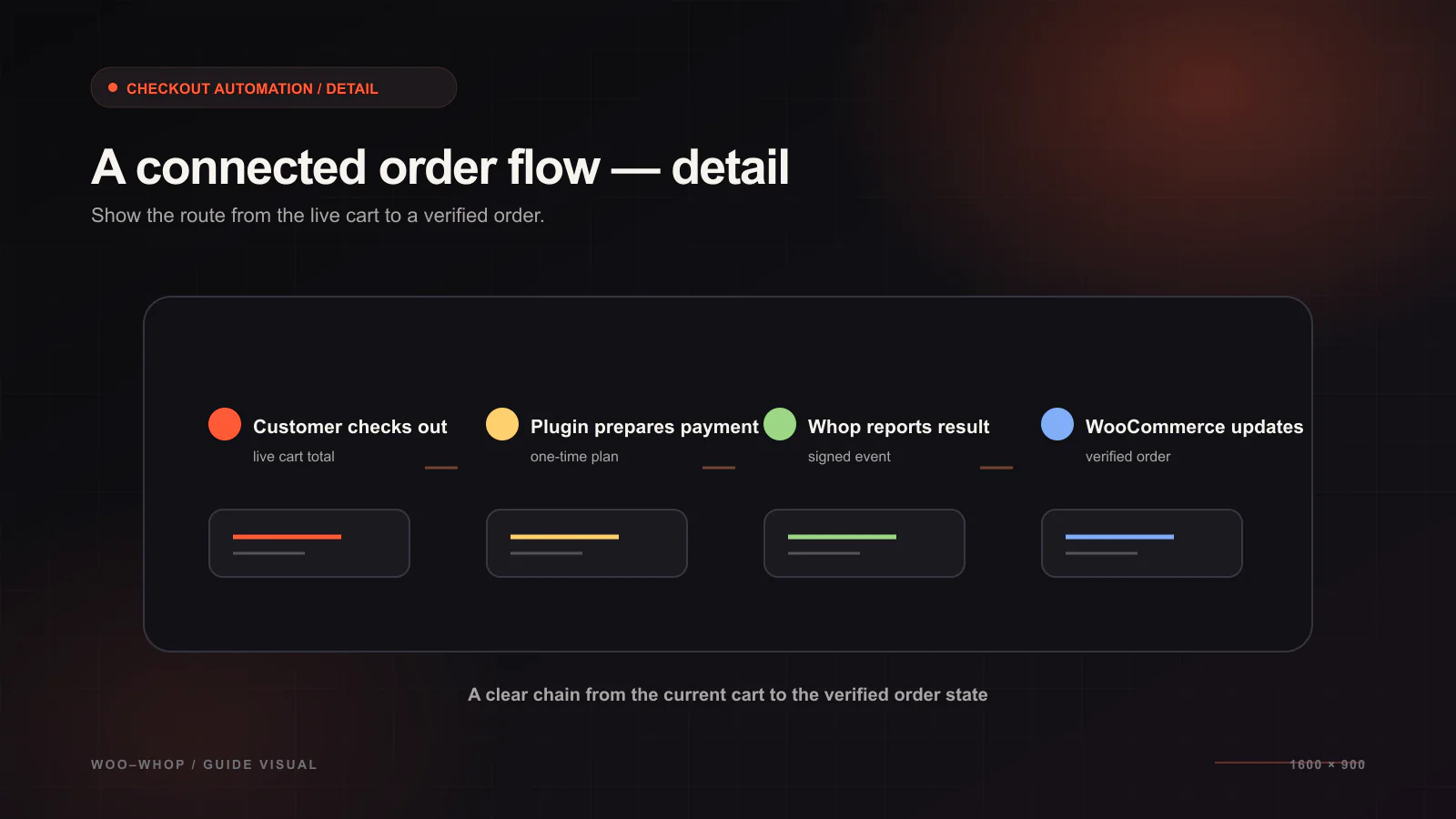
Manual mapping creates a maintenance task every time products or prices change: somebody must ensure a second list of payment objects still represents the store. Woo-Whop avoids that mapping step by creating a one-time plan from the live cart. The important outcome is consistency at the moment of checkout: the payment flow is based on the cart the buyer is actually attempting to purchase.
| Question | Woo-Whop approach |
|---|---|
| Do I create a plan ID for each WooCommerce product? | No. The checkout creates a one-time plan from the live cart. |
| Where do I manage the storefront catalogue? | In WooCommerce. |
| What payment amount is verified? | The amount expected for the checkout that created the plan. |
| What happens after the customer reaches the payment step? | The selected Whop checkout mode collects payment, subject to Whop availability. |
For a focused explanation of the operational difference, see how to stop maintaining manual Whop plan IDs.
Select the right checkout mode before launch
The API-backed payment creation is the same across the three presentation modes. What changes is where the customer sees the payment experience.
- Embed: show the Whop payment form inside the WooCommerce checkout page.
- Popup: open the payment flow in a checkout popup without leaving the store page context.
- Direct Redirect: send the customer to Whop's hosted payment page.
Use sandbox to test the mode with your actual theme, checkout fields, and mobile layout. The checkout mode comparison gives practical criteria for that test, including when Direct Redirect is the sensible compatibility choice.
Why webhook validation is part of the automation
It is tempting to treat a successful browser return as proof that the payment succeeded. A reliable WooCommerce payment workflow does not rely on that alone. The signed payment.succeeded event is checked before the order is marked paid. The gateway validates the event against the plan created for that checkout, the configured company, and the expected amount and currency.
| Validation check | Why it belongs in the flow |
|---|---|
| Signed event | Helps establish that the event is authentic. |
| Plan | Connects the event to the one-time checkout that was created. |
| Company | Confirms the event belongs to the configured Whop account context. |
| Amount and currency | Confirms the payment matches the expected checkout values. |
Read the secure webhook configuration guide before enabling live payments. It explains what to test without turning event handling into a black box.
Configuration checklist for a dependable handoff
- Connect the Whop credentials in WooCommerce payment settings.
- Keep sandbox enabled while you validate the full order path.
- Choose a checkout mode and run it on a real mobile device as well as desktop.
- Register the webhook endpoint and confirm the signed
payment.succeededevent reaches the store. - Verify that the plan, company, amount, and currency checks match the test checkout.
- Confirm the live site uses HTTPS before switching from sandbox to live settings.
International stores should also test their highest-volume currency and language combinations. The gateway supports 47 listed native store currencies, uses a guarded live rate to convert other store currencies to USD, and offers 28 payment-form language options with automatic WordPress locale mapping. Those details are covered in the currency matching guide and the full setup documentation.
That is the practical meaning of checkout automation here: no manual plan mapping, a live-cart payment request, a mode you can test against your theme, and explicit payment confirmation before WooCommerce treats the order as paid.